Questions interrupt intent
Sizing, compatibility, delivery, and returns can pause a purchase when an answer is not available.
Eyeleven / E-commerce
Guide decisions, continue eligible checkouts, and support customers with one supervised AI workforce.

01 / Operational challenges
Sizing, compatibility, delivery, and returns can pause a purchase when an answer is not available.
A useful follow-up needs the customer's question and consent, not another generic campaign message.
Order status and policy questions repeat while exceptions wait for experienced staff.
02 / Example functions
Industry-specific workflow examples. The eleven OmniForce Director templates define department responsibility; your workspace defines which tasks are enabled.
Answers from approved catalog and policy knowledge.
Continues eligible conversations when a buyer leaves with an unresolved question.
Handles routine post-purchase requests and routes exceptions.
Explore the 11 master departments ↗ to see their responsibilities and approval boundaries.
03 / Customer journey
An illustrative workflow. No customer operation is running and no action is being sent.
A shopper asks whether a backpack fits a work laptop and can arrive before a trip.
Step 01 · Customer
Capture device size, preferred color, destination, and timing.
Do not infer compatibility from an incomplete product record.
Step 02 · Commerce Guide
Read the approved catalog and delivery policy for a matching option.
Use connected facts only. Mark unknown stock or delivery details.
Step 03 · Workflow
Offer the approved next step, such as a product page or checkout link.
Confirm channel consent and timing before follow-up.
Step 04 · Team
Route delivery exceptions with the product and customer context attached.
A person confirms commitments that the connected systems cannot verify.
04 / Capabilities and connections
Receive and continue eligible customer conversations.
Ground answers in the products and policies you approve.
Apply consent, timing, and exception rules before an action.
Keep context when an exception reaches a person.
Available actions depend on your plan, connected tools, channel permissions and configured approval rules.
05 / Operational outcomes
The intended outcomes of a configured workflow, not measured customer results.
Customers get relevant facts while their purchase intent is still active.
Routine answers follow the same approved catalog and policy sources.
Staff receive the question, order context, and attempted resolution together.
06 / Inside the OS
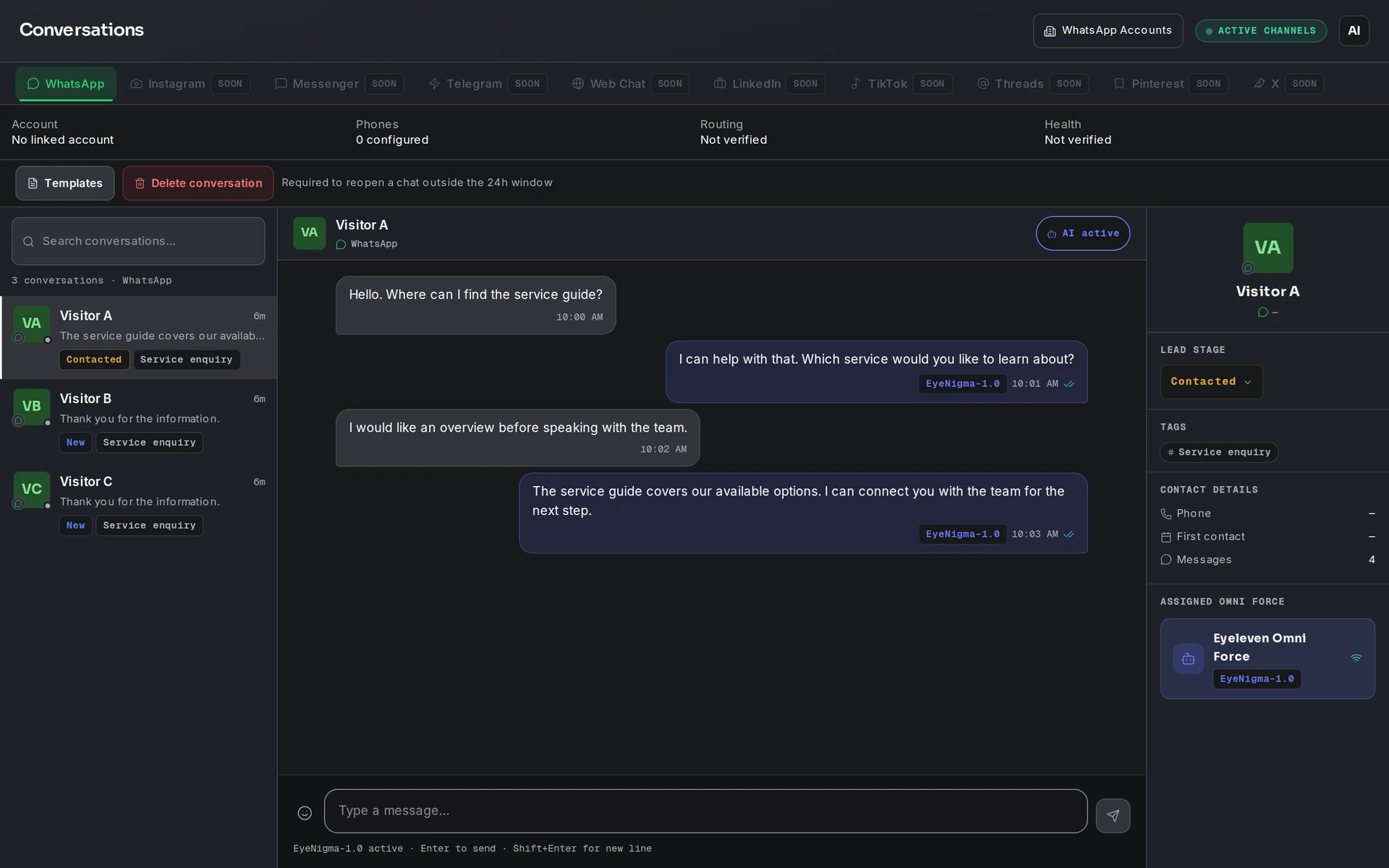
Keep workflow state, approved knowledge and human handoff in the same operating environment.
07 / Industry FAQ
Recommendations must come from the connected catalog and the rules you approve. Missing facts should be disclosed or routed to the team.
Only after you configure consent, timing, templates, and channel rules. The page demonstrates a workflow, not an active campaign.
Your team defines the handoff conditions. When one is met, the workflow pauses and passes the conversation with its context intact.
Bring the catalog source, support policies, channel account, escalation owners, and one focused workflow for review.
Explore more
 Commerce
Guide product discovery, coordinate collection requests, and keep stock and exception decisions verified.
Explore the workflow Care & wellness
Coordinate information and appointment requests while clinical decisions remain with qualified professionals.
Explore the workflow Property & operations
Qualify intent, guide buyers through approved listings, and prepare each viewing handoff for an agent.
Explore the workflowE-commerce · Eyeleven AI Workforce OS
Connect its approved knowledge, define the handoff, and give your first OmniForce a clear role.