
Choose the trigger
Select the incoming event and channel that starts the work.
Eyeleven / Workflows
Turn repeatable work into a clear sequence of context, permitted actions and human decisions. Conversations move forward without losing the person responsible.
Appointment change / illustrative workflow
A customer asks to move an appointment. The conversation, requested time and available context enter the workflow together.
Only the connected channel and approved customer context are used.
Workflow Studio
Build and inspect the sequence in the visual canvas. Test the scope, conditions and review points before publishing a workflow.
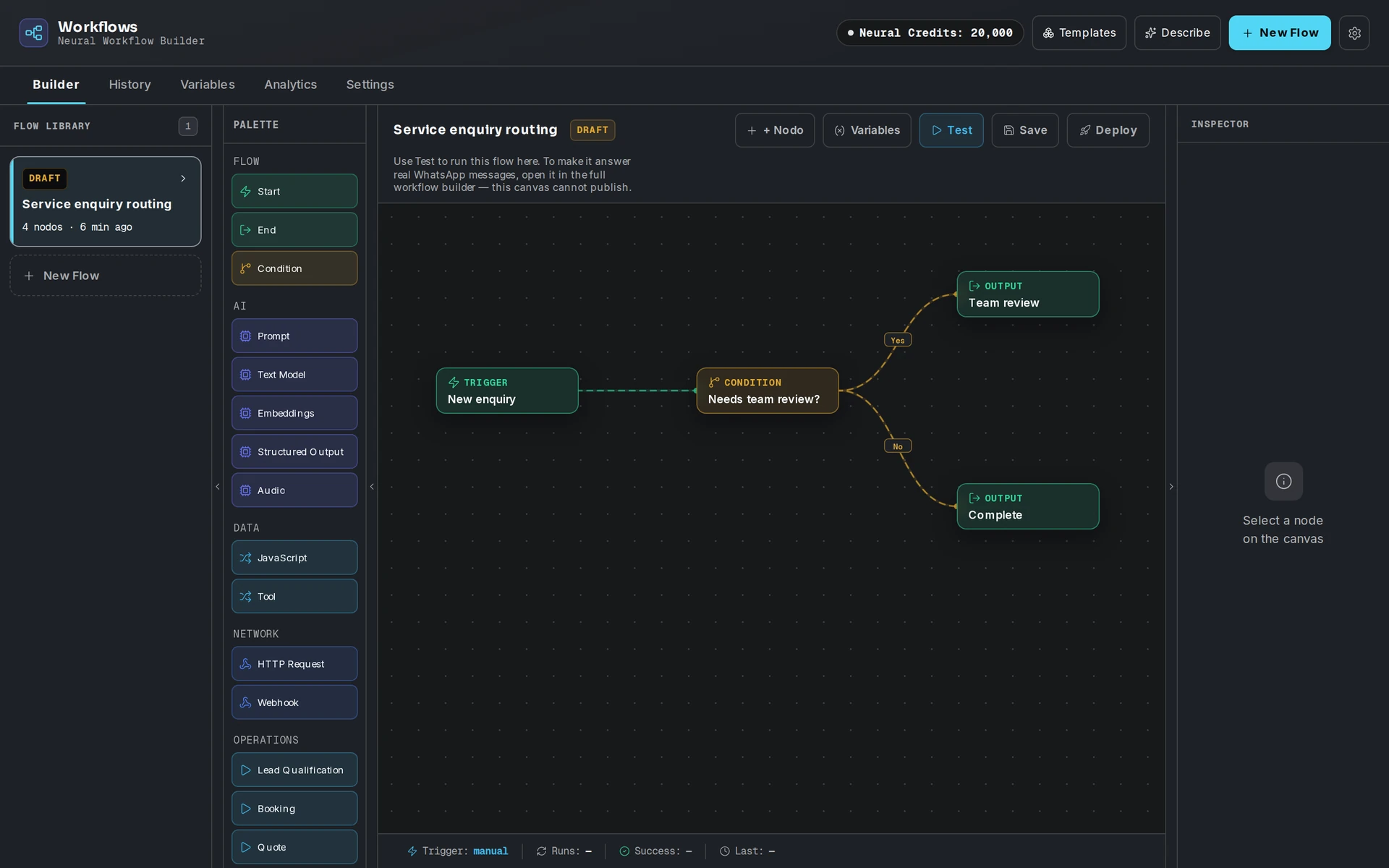
Before execution
A workflow is only as useful as its context and boundaries. Start small and review each handoff before expanding.
Select the incoming event and channel that starts the work.
Give the OmniForce the instructions and information relevant to this task.
Define the permitted tools, approval points and escalation owner.
Inspect the expected path and the failure path before enabling the workflow.
From request to result
The example above is illustrative. In a configured workflow, the next team receives context and an accountable owner; a draft or requested action stays distinct from a confirmed result.
Capture the customer request, approved context and the next proposed action.
Route exceptions and consequential actions to the person or team with decision rights.
Mark the work complete only after the connected system or owner confirms what happened.
Define permitted work, approval points and human takeover. Change this example matrix to see a plain-language policy. It is illustrative only; no workspace settings are saved.
Example Sales OmniForce can read approved knowledge, quote requests, connected records and configured email context; draft answers, quote briefs and follow-ups; and use guidance and route quotes. It must ask a person before sending follow-ups, answering outside approved guidance or routing quote requests for amounts over $500.
Your next step