
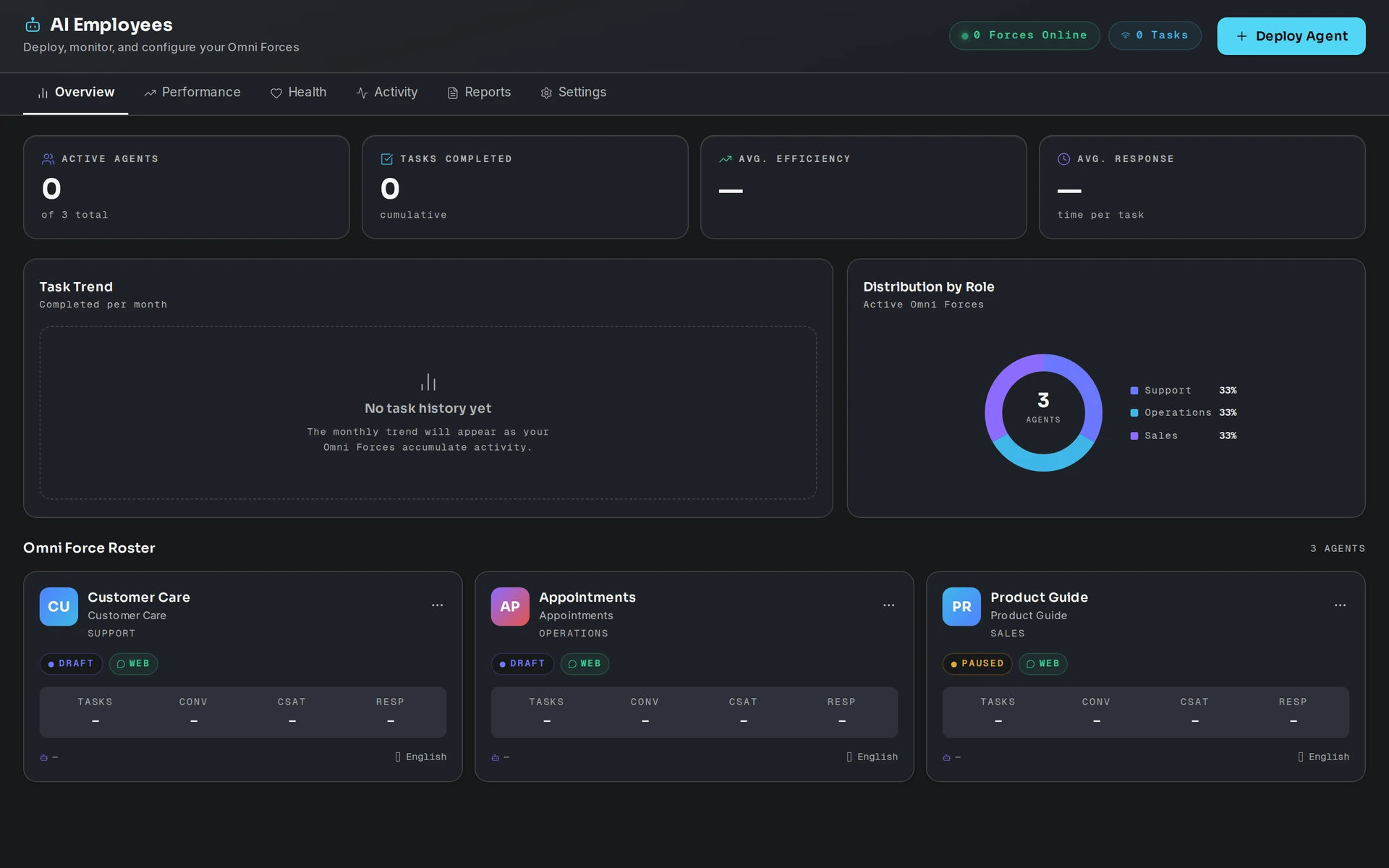
An OmniForce is a department-level AI Force with a defined responsibility, specialist task coordination and governed workflows. An AI Agent handles a defined task; an AI Force coordinates work for a business function; Eyeleven OS supplies the workspace context, tools, communication and human control around them. See the OmniForces overview for all 11 public master roles.
Start with a responsibility
The public catalog describes 11 master departments, from Support and Sales to Operations, Finance and Strategy. A Director title names the function it coordinates. It does not grant unrestricted authority or replace the business owner. Select the functions your team needs, then check the deployment options actually available to your workspace. Plans, permissions and enabled tools determine what can be configured.
Create your first Force
Completing onboarding opens the desktop; it does not create a Force automatically. From the desktop setup checklist or the AI Employees app:
- Open AI Employees and select the Deploy Force action.
- Enter a name, role and department that make its responsibility clear.
- Set its language, intended channels and operating description. Use approved business facts; do not paste credentials into the description.
- Submit the form, then confirm the new Force appears in the roster. A roster entry alone does not prove that a channel is connected or a workflow is live.
Connect context and capabilities
Give the Force only the business knowledge, channel access and tools needed for its work. Review its assigned owner, operating scope, escalation rules and customer-facing language. Skill grants can be configured today, but the Skill Hub executor has not shipped: a grant does not run the skill or charge credits. See Skill Hub for the current boundary.
Check the operating state
Read the Force status in AI Employees before relying on it for conversations. Paused, training and active states have different meanings. Test with authorized data, check the channel connection, and verify the result in the destination system. Keep consequential actions behind the configured human review. For the cockpit and controls, read EyeClaw.
Plan and workspace limits
Capacity depends on the subscription and any approved add-ons. Use the plans and Neural Credits guide for the model, then read the active entitlement and final price in your workspace’s Billing app. If a deployment is denied, do not assume an add-on was purchased or the Force was created. Review the displayed reason and contact support if your entitlement appears wrong.
A practical first review
- Define the handoff. Name the person who receives exceptions and the point at which the Force must stop.
- Confirm the source. Review business knowledge and the permissions behind each connected channel or tool. Follow the actual conversation in Conversations.
- Verify an outcome. A request, draft or simulated result is not a completed booking, sent message or updated record. Check the system of record before reporting completion.